Examples
The examples are designed to be read top to bottom. Each notebook keeps input paths near the top, writes into a dedicated output folder, and pauses after important stages so you can inspect the data before continuing.
Notebook Guide
| Notebook | Start here when | Main outputs |
|---|---|---|
video_to_trc_quickstart.ipynb |
You have a single-camera video and want CSV/TRC exports. | pose CSV files, global TRC |
marker_trc_cleanup.ipynb |
You already have a TRC file and want a cleaned version. | marker summary, cleaned TRC |
opensim_scale_ik_template.ipynb |
You have a TRC and want OpenSim scale and IK. | scale setup, scaled model, IK motion |
video_to_inverse_dynamics_pipeline.ipynb |
You want video to TRC, scale, IK, external loads, and ID. | pose outputs, OpenSim files, estimated loads, ID storage |
run_video_smoke.py |
You want a repeatable command-line check for a real video. | JSON report, CSV, TRC, optional OpenSim outputs |
Suggested Order
Verify import
Run the first cell before pointing at large data files.
Set paths once
Edit the input path and output directory variables near the top.
Inspect before export
Use summaries and DataFrame previews before writing files.
Move downstream slowly
Only run OpenSim after marker names, units, and time ranges look sensible.
What A Complete Example Shows
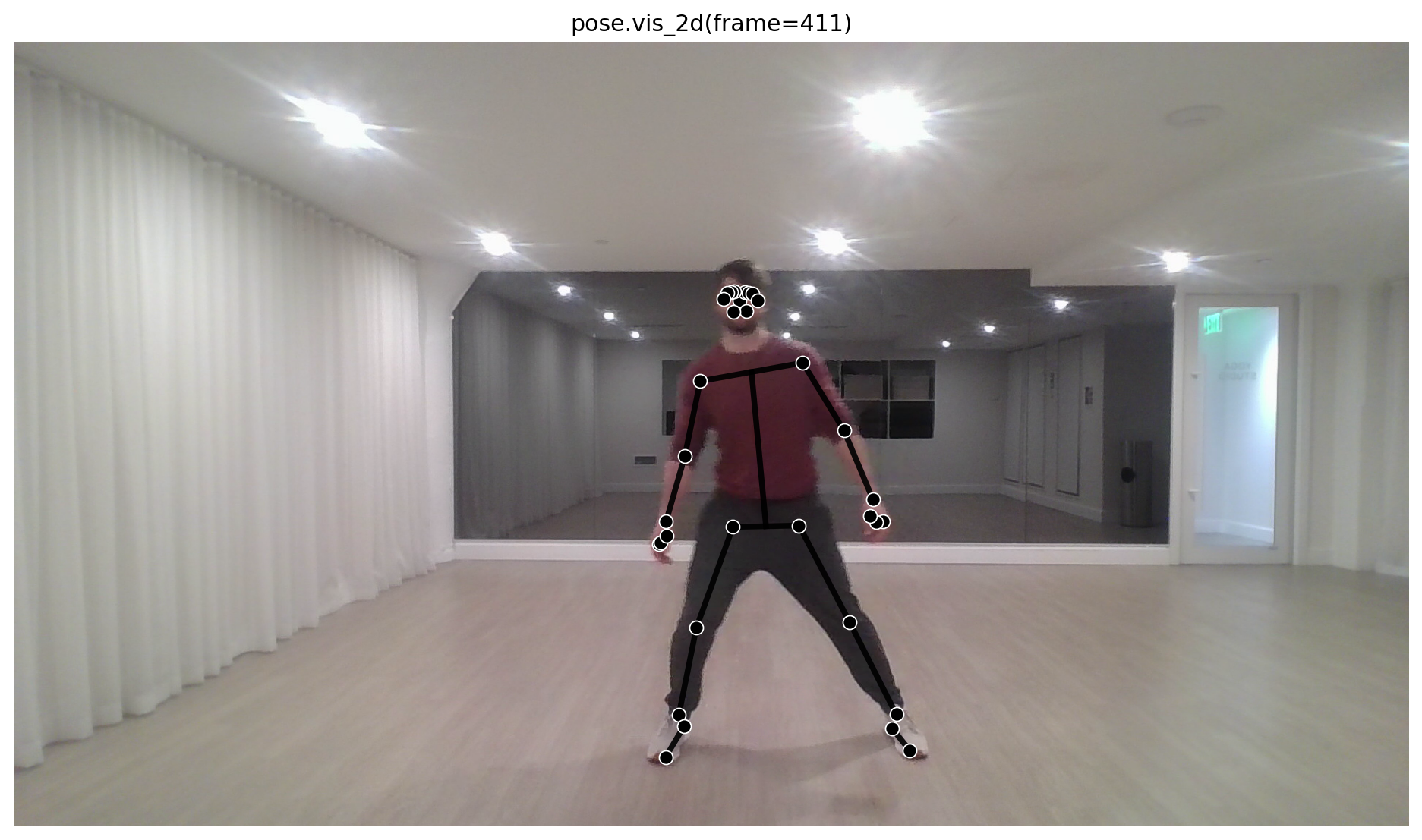
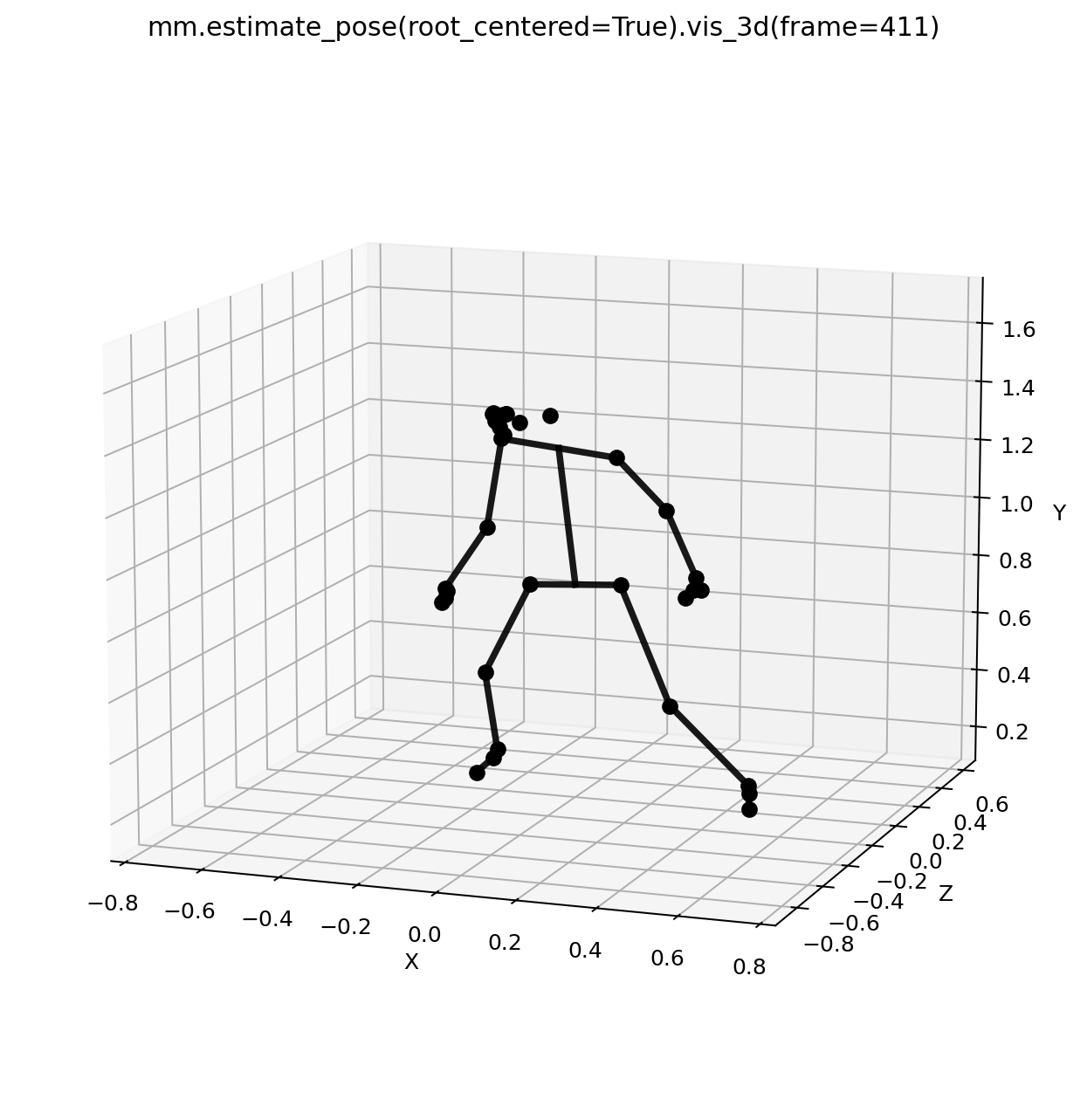
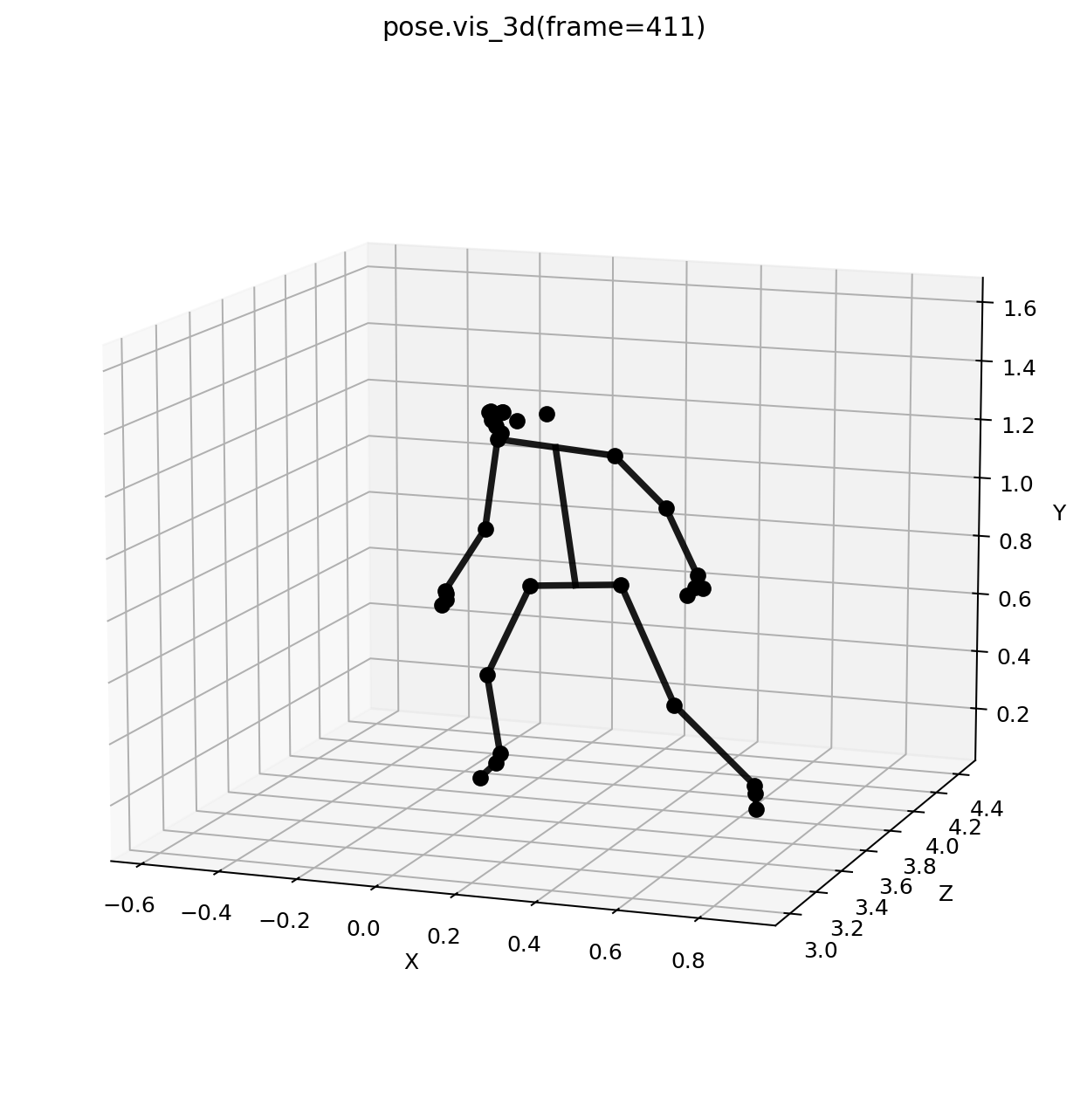
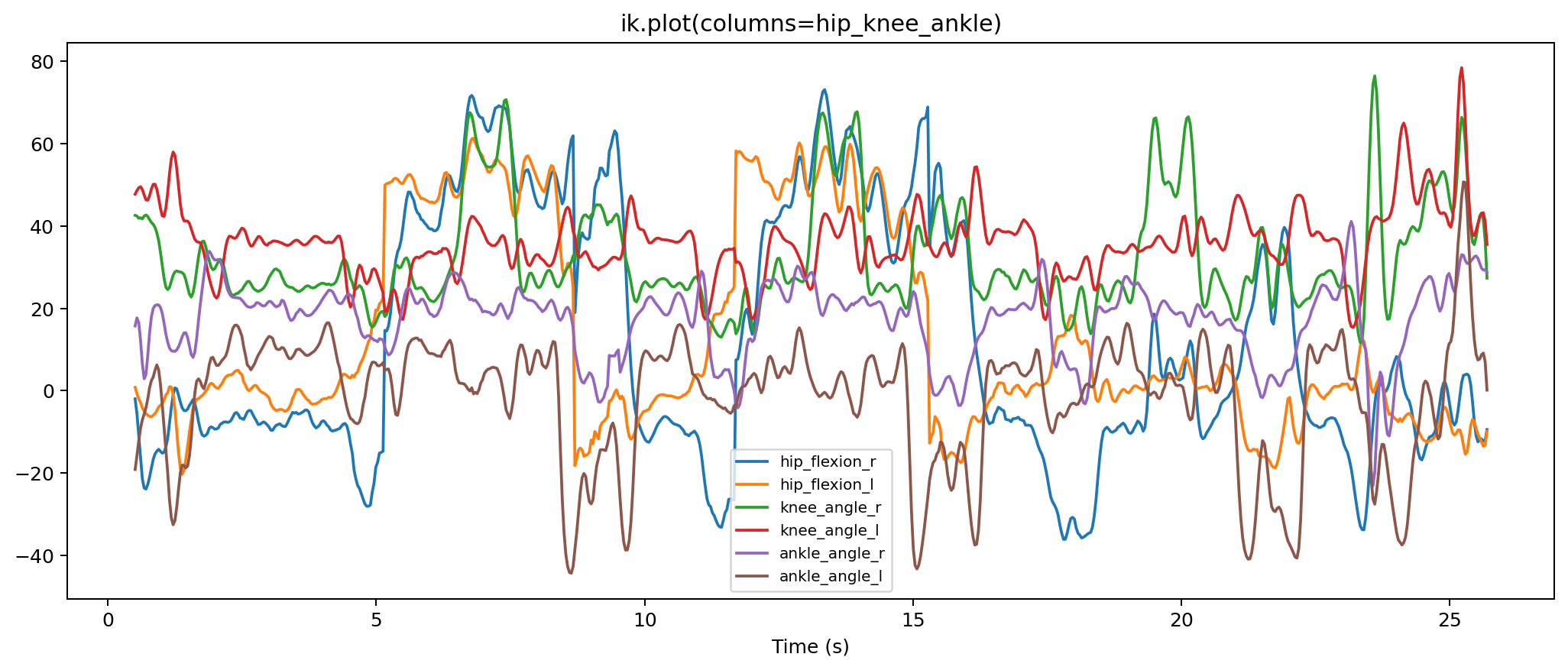
The full video-to-ID notebook is organized around the same checkpoints used by the docs tour. You should be able to see the 2D pose on the source image, the root-centered 3D pose, the global pose after PnP and floor alignment, key IK angles, estimated force signals, key ID kinetics, and the synchronized animation viewer.
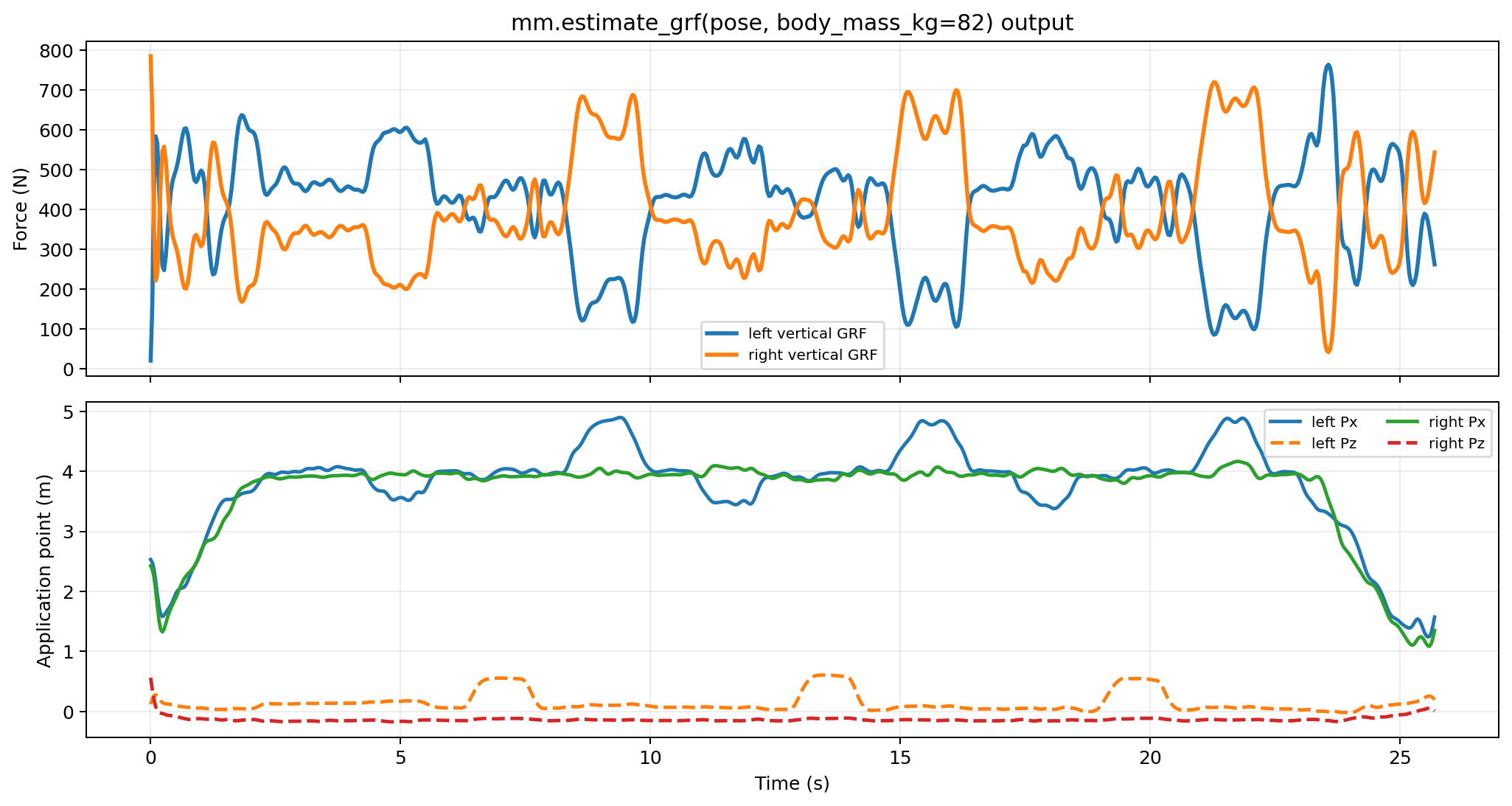
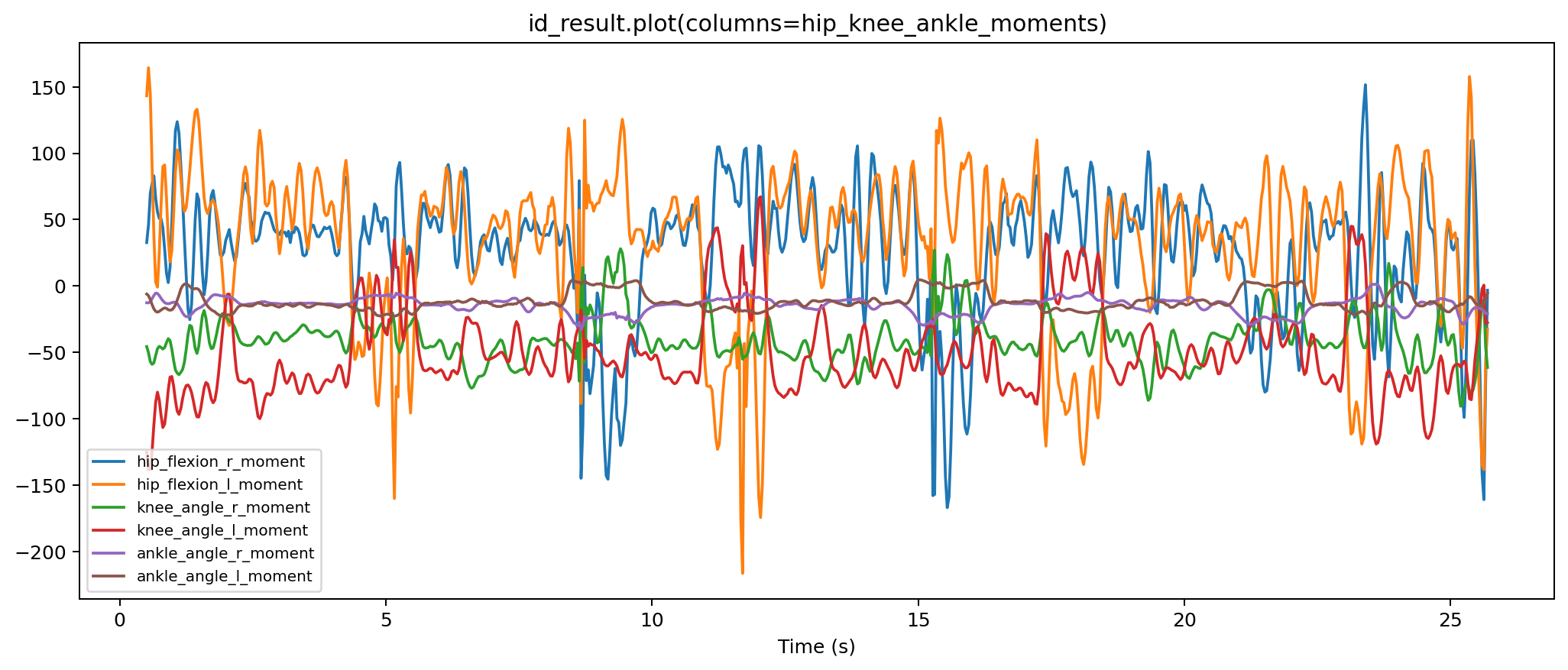
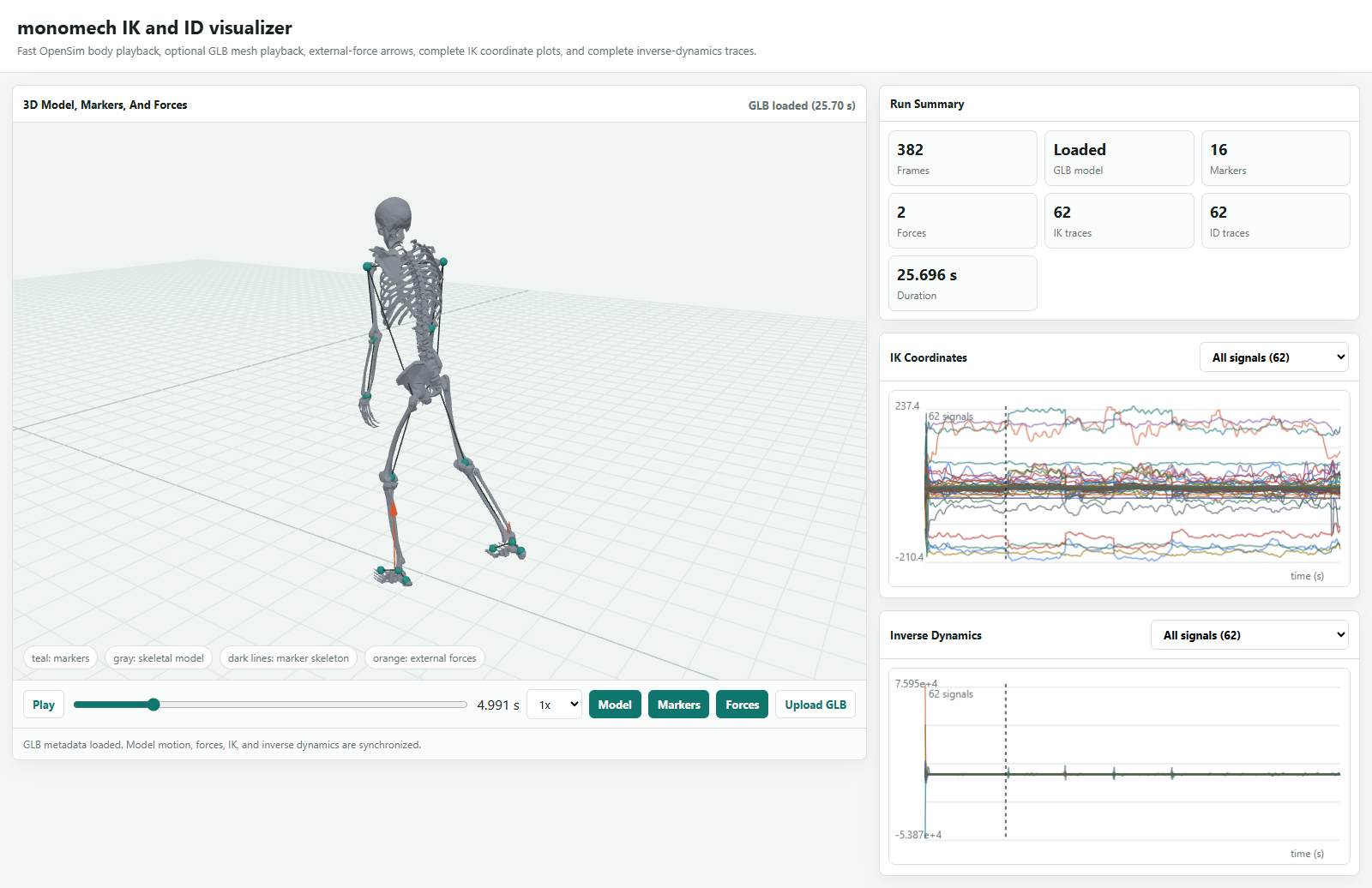
Full Video To ID Example
import monomech as mm

pose = mm.estimate_pose("data/subject01.mp4")
pose = mm.gap_fill(mm.smooth(pose))

scale = mm.run_scaling(
    pose,
    model="pose",
    output_dir="outputs/subject01/scale",
)

ik = mm.run_ik(scale, output_dir="outputs/subject01/ik")

estimated_loads = mm.estimate_grf(pose, body_mass_kg=75.0)

id_result = mm.run_id(
    ik=ik,
    external_forces=estimated_loads,
    output_dir="outputs/subject01/id",
)

print(id_result.path)
print(id_result.metadata["external_loads_mot_path"])
Command-Line Smoke Test
Run OpenSim too when the bindings are installed:
python examples/run_video_smoke.py "data/subject01.mp4" --output-dir outputs/subject01_smoke --opensim
Minimal Video Example
from pathlib import Path
import monomech as mm

video_path = Path("data/subject01.mp4")
output_dir = Path("outputs/subject01")
output_dir.mkdir(parents=True, exist_ok=True)

pose3d_global = mm.estimate_pose(video_path)
pose3d_global = mm.gap_fill(mm.smooth(pose3d_global))

pose3d_global.to_csv(output_dir / "subject01_global.csv")
pose3d_global.to_trc(output_dir / "subject01_global.trc")
Minimal Marker Example
from pathlib import Path
import monomech as mm

trc_path = Path("data/walk.trc")
output_dir = Path("outputs/walk")
output_dir.mkdir(parents=True, exist_ok=True)

markers = mm.gap_fill(trc_path, max_gap_frames=20)
markers = mm.smooth(markers, cutoff_hz=6.0)

display(markers.summary())
markers.to_trc(output_dir / "walk_clean.trc")
Good Notebook Hygiene
- Keep raw input files in
data/and generated files inoutputs/. - Save intermediate CSV files while tuning pose, smoothing, or marker mapping.
- Record the exact install command and package version in the first notebook cell.
- Use one notebook per subject when parameter choices differ between trials.
- Keep OpenSim scale, IK, external-load, and ID sections separate so failures are easier to debug.