Stage Overview
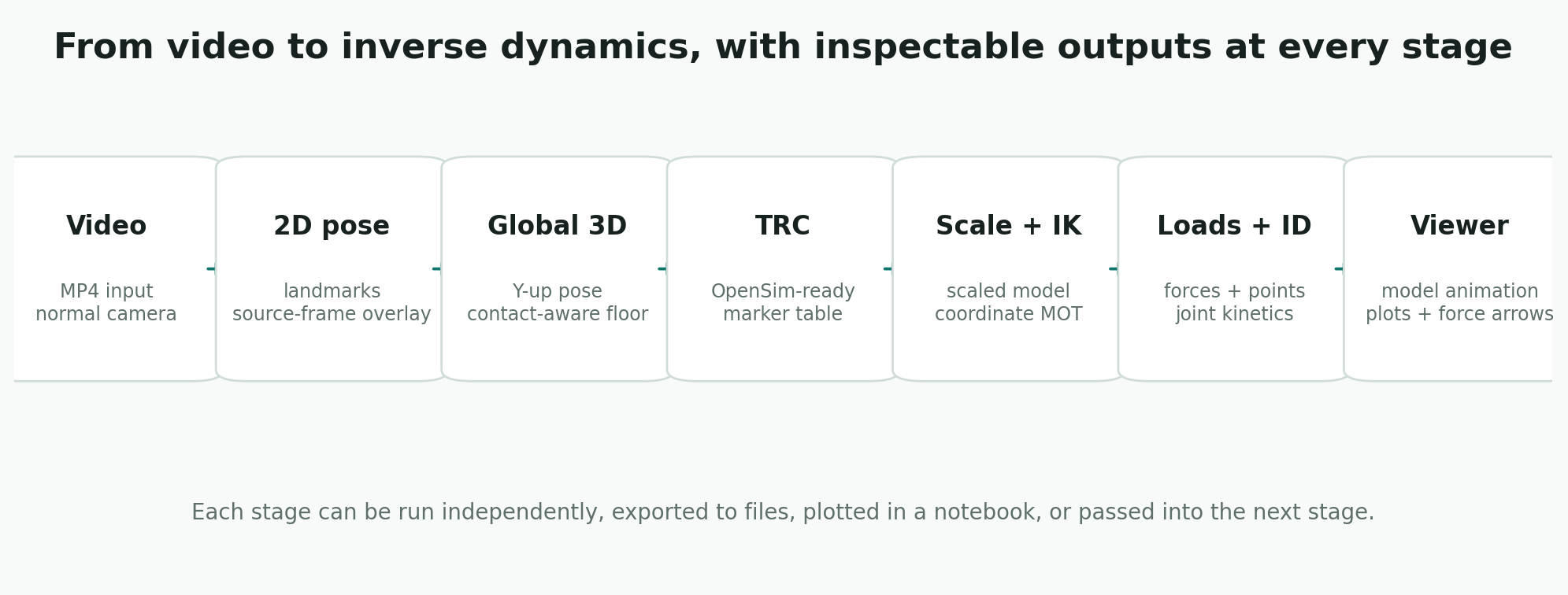
monomech keeps each major operation explicit. You can run only the stage you need, inspect its output, and continue later.
Video-First Path
flowchart LR
    video["Video file"] --> pose["mm.estimate_pose"]
    pose --> clean["mm.smooth + mm.gap_fill"]
    clean --> preview["vis_2d / vis_3d"]
    clean --> csv["CSV export"]
    clean --> trc["TRC export"]
    clean --> opensim["OpenSim scale / IK / ID"]
Marker-First Path
flowchart LR
    trc["TRC file"] --> clean["mm.gap_fill + mm.smooth"]
    clean --> export["TRC / CSV export"]
    export --> opensim["OpenSim scale / IK / ID"]
Main APIs
| Stage | API | Notes |
|---|---|---|
| Estimate global pose | mm.estimate_pose(path) |
Requires monomech[pose]. |
| Smooth data | mm.smooth(result_or_trc) |
Works with pose, marker results, and TRC files. |
| Fill gaps | mm.gap_fill(result_or_trc) |
Interpolates short gaps. |
| Preview pose | pose.vis_2d(), pose.vis_3d() |
Notebook-friendly frame checks. |
| Scale model | mm.run_scaling(...) |
Requires OpenSim-compatible bindings. |
| Inverse kinematics | mm.run_ik(...) |
Returns an IK StorageResult. |
| Inverse dynamics | mm.run_id(...) |
Accepts measured or estimated external loads. |
| Visualize | mm.animate(...) |
Creates a notebook-ready HTML viewer. |
Stage Outputs
| Stage | Main result | What to inspect |
|---|---|---|
| 2D pose | Pose2DResult |
Source-frame overlay, landmark confidence, missing frames. |
| Global 3D pose | Pose3DGlobalResult |
Floor alignment, foot clearance, landmark trajectories. |
| TRC export | .trc |
Marker names, units, axes, and time range. |
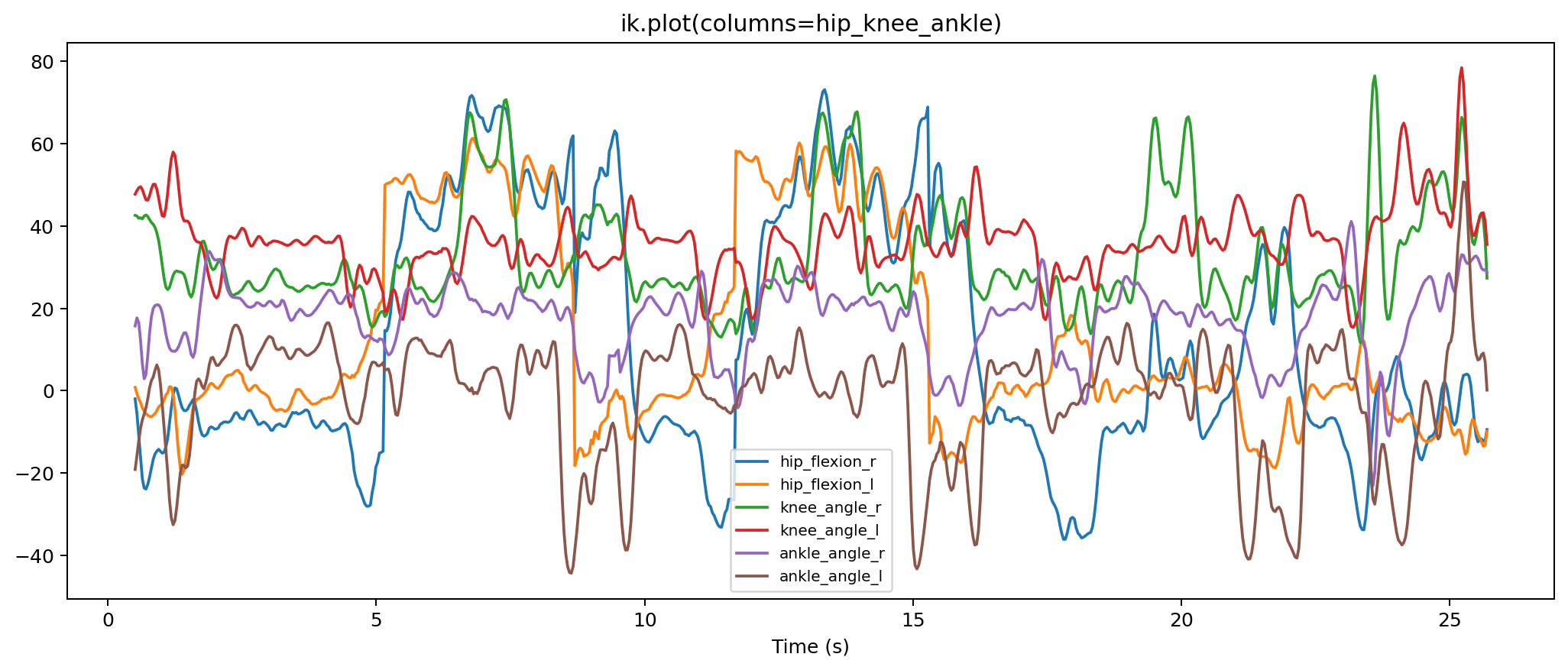
| IK | StorageResult and .mot |
Joint coordinate curves and marker errors. |
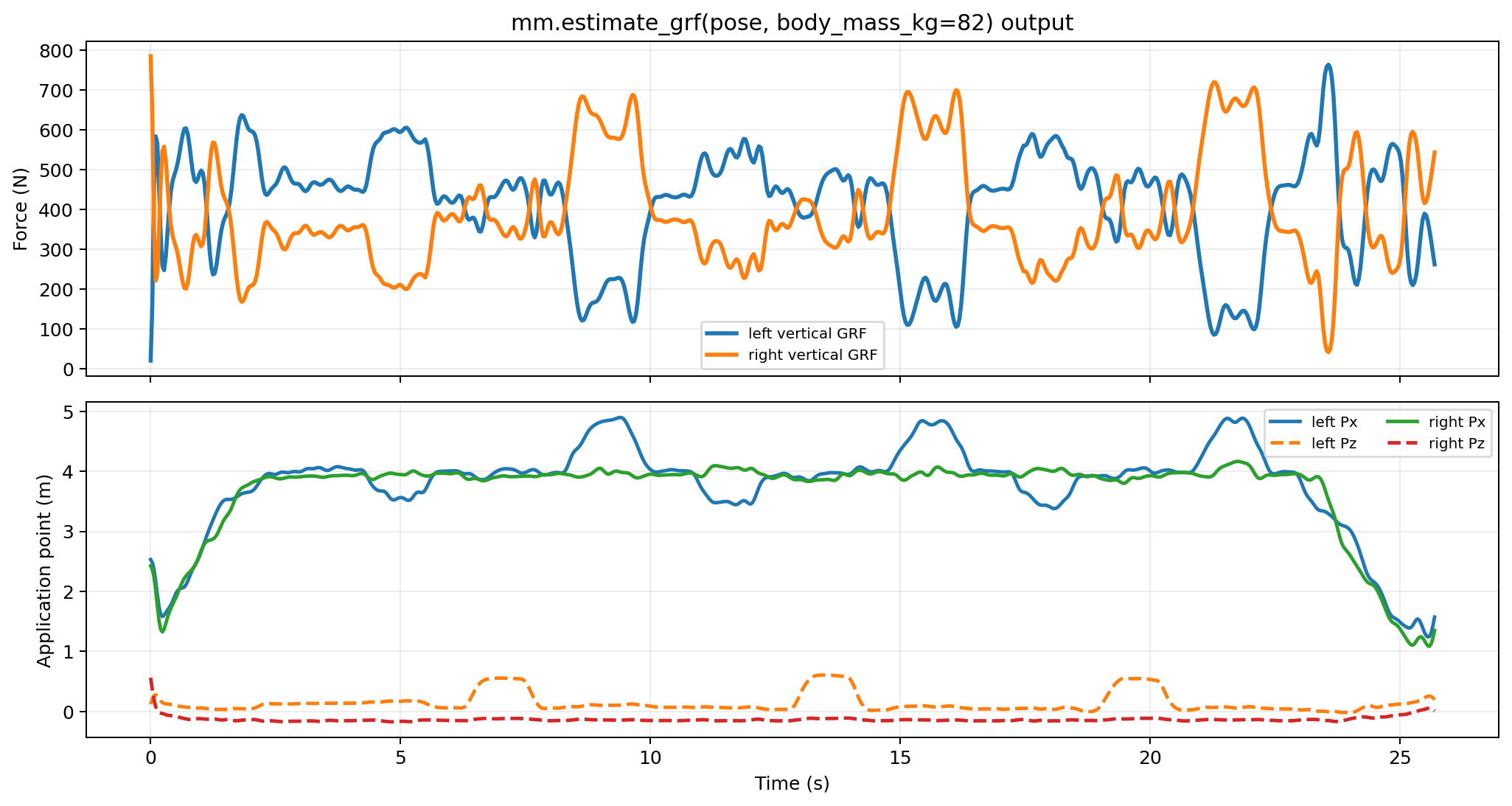
| External loads | .xml and .mot |
Force signs, application points, and time coverage. |
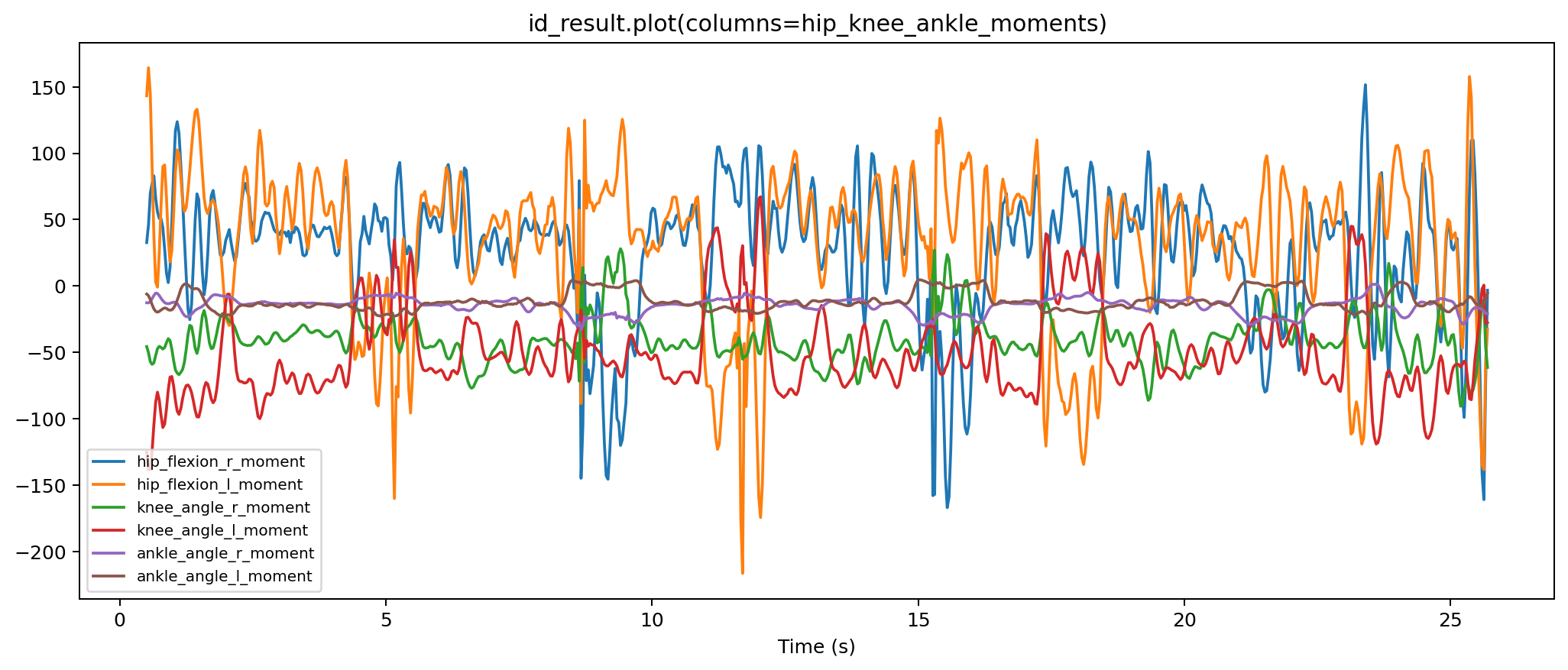
| ID | StorageResult and .sto |
Joint forces and moments. |
| Viewer | OpenSimVisualizerResult |
Motion, forces, IK, and ID in one synchronized page. |
For a visual walkthrough, open the pipeline tour.